Retail technology / Chennai
Billing Software for Retail Businesses in Chennai: A Practical 2026 Buyer’s Guide
The right system turns a three-minute bill into a twenty-second one. This guide walks you through what to test, what it really costs, and which five options belong on your 2026 shortlist. Everything here reflects how these systems behave on a working shop floor.
Offline-first billing GST and e-way bill ready Chennai support and training

A shop billing by hand loses customers at the queue and money at the tax slab. Choose on eight things you can test yourself: GST invoicing, barcode speed, live inventory, offline mode, user roles, WhatsApp and loyalty, reports that change your reorder, and local support. This guide covers all eight, the five systems worth shortlisting, real costs once hardware is added, and a seven-day plan to go live.
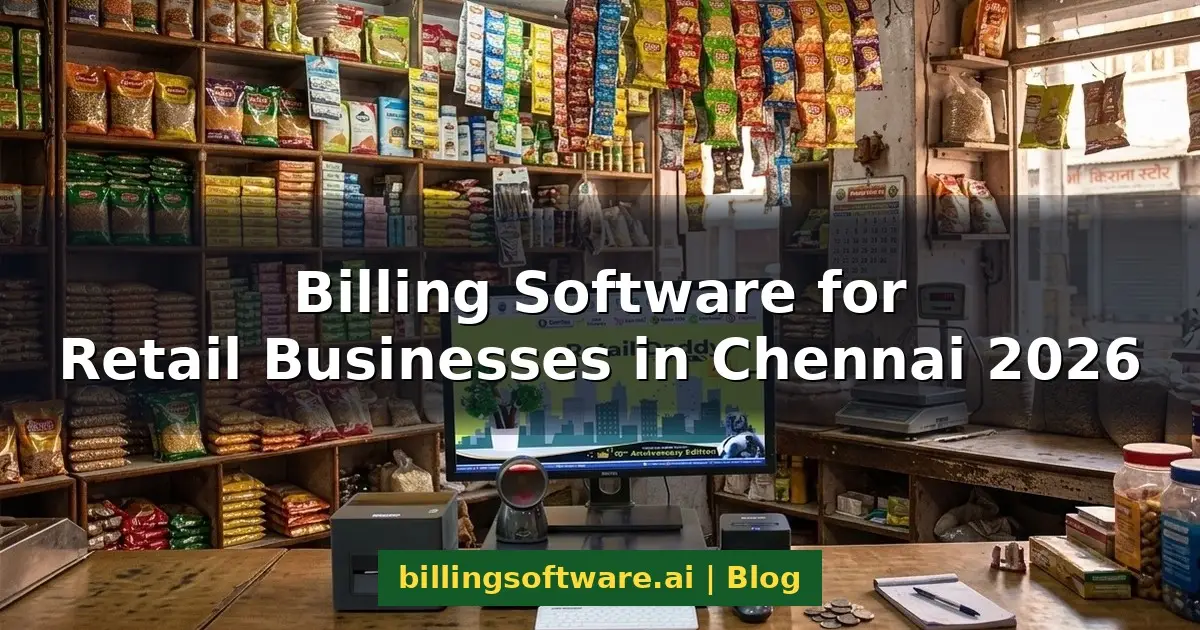
It is seven in the evening on a Saturday in T. Nagar. Eleven people are waiting at your counter, and your billing boy is still writing item names by hand.
That queue is exactly why so many owners start looking at billing software.
Chennai retail runs in sharp bursts. A grocery store in Velachery can stay quiet until six, then handle a large share of the day’s sales in three hours. Manual billing cannot absorb that spike, and customers walk away from full baskets once the queue crosses ten minutes.
The local context
Why Chennai Retailers Are Outgrowing Manual Billing
Chennai retail runs in sharp bursts, and a notebook cannot absorb the spike. The damage shows up in two places: the queue on Saturday evening, and the tax slab at month-end.
Peak-hour queues on Ranganathan Street
A grocery store in Velachery can stay quiet until six, then handle a large share of the day’s sales in three hours. Manual billing cannot absorb that spike. Customers walk away from full baskets once the queue crosses ten minutes.
Copying mistakes made under pressure
Staff make copying mistakes when the counter is three deep, and those mistakes surface only at month-end — long after the stock has moved and the cash has been counted.
The small GST errors that quietly cost you
Handwritten bills rarely carry the correct HSN code against every item, so your GSTR-1 filing needs manual correction month after month. Wrong tax slabs are worse. You either overcharge the customer or absorb the shortfall yourself, and across a year that quiet leakage often exceeds what the software would have cost.
Know what you need
Billing Software, POS or Retail ERP?
If you run a single counter and stock fewer than five hundred items, a straightforward GST billing tool will serve you well. It prints compliant invoices, tracks stock and produces a day-end report. For a small shop, that is all you need.
The picture changes the moment you add a second counter, a second branch or credit customers. A POS system handles barcode scanning, multiple payment modes and role-based staff access. Above that sits a full retail ERP, which adds purchase planning, accounting and supplier management — though most single-city retailers never need that third tier.
Work out which of the three tiers on the right describes your shop today, then buy for the tier above it if you are already planning a second counter.
Simple GST billing software
One counter, fewer than five hundred items. Compliant invoices, stock tracking and a day-end report. For a small shop, that is all you need.
POS billing software
Barcode scanning, multiple payment modes and role-based staff access. The moment you add a second counter, a second branch or credit customers, this is the tier you need.
Retail ERP
Adds purchase planning, accounting and supplier management. Most single-city retailers never need it.
The demo checklist
Eight Features Every Chennai Retail Shop Should Test Before Buying
Ask the salesperson to demonstrate each of these on your own product list, not a polished demo dataset.
GST-compliant invoicing and e-way bills
The system should pull the tax slab automatically from the item master. Ask to see a B2B invoice with HSN codes, then an e-way bill generated live.
Barcode billing and thermal print speed
Time it. Scan to printed receipt should take under five seconds. Also check whether one product can hold multiple barcodes, because suppliers often label the same item differently.
Real-time inventory and low-stock alerts
Stock should drop the instant a bill is saved, not overnight. Ask for a low-stock report set against your own reorder levels.
Offline mode with cloud backup
Between October and December, power and broadband both go down. A cloud-only system stops billing the moment the connection stops.
Multi-counter, multi-branch and user roles
A salesman should see sales screens only, and a purchase manager only purchasing. Ask for separate logins and check what each role can actually open.
WhatsApp invoicing, loyalty and vouchers
Sharing bills on WhatsApp cuts paper cost and keeps your shop inside the customer’s phone. Loyalty points and gift vouchers then give them a reason to return.
Reports that change your reorder decisions
Every system shows sales totals, and totals are easy. Ask instead for a dead-stock report and a margin-by-category report, because those change what you buy next month.
Local support, training and Tamil-language help
Find out whether support means a Chennai phone number or a national ticket queue. Also ask how fast an engineer can reach your shop when a printer fails mid-rush.
The 2026 shortlist
Top 5 Billing Software for Retail Businesses in Chennai
Each option below is judged against the same eight points. Feature sets change often, so confirm details with the vendor before committing.
Retail Daddy Billing Software
Built by Raintech Software Ltd., this is offline-first software running on VB.NET with a SQL Server database. Billing therefore continues through a power cut or a network drop, and your data syncs to cloud backup once the connection returns.
GST rates and item details apply automatically, and inventory updates in real time as bills are saved. The Dual Sales Panel lets staff pick items from image-based displays, which speeds up grocery counters where nobody remembers item codes. Products can also hold multiple barcodes for different suppliers.
Multi-company creation, multi-user logins and granular access control mean each role sees only its own screens. For owners running more than one shop, inter-branch digital stock transfers with arrival verification at the receiving branch remove the usual guesswork. A central e-commerce control centre pushes offline stock to your website or app, and WhatsApp invoicing, digital gift vouchers, loyalty cards, one-click barcode and price-tag printing, and UPI, card and cash reconciliation are all included. Built-in video training in Hindi and English gets staff running without waiting on a trainer.

Who it suits best
Supermarkets, departmental stores, grocery chains and any Chennai retailer running two or more branches. It also suits owners who want their data on their own machine rather than only in someone else’s cloud.
One thing to weigh up
It is a Windows-based, offline-first system by design. If you want a browser-only setup you can open from any device, a cloud-native product will fit your habits better.
myBillBook
myBillBook covers billing, inventory, GST and WhatsApp invoice sharing, with setups for supermarkets, pharmacies, jewellery and hardware shops. Pricing is published openly, which makes budgeting simple. The trade-off is that it is built around mobile and cloud use, so deeper multi-branch operations can feel constrained.
Vyapar
Vyapar runs on Android and desktop, works online or offline, and offers a free trial. For a first-time owner replacing a notebook, it is a low-risk start. However, as your SKU and counter count climb, you will likely outgrow its retail depth.
KassaPOS
KassaPOS is a Chennai-based provider with modules shaped around individual trades, including textiles, supermarkets, pharmacies and restaurants. Barcode billing, multi-branch monitoring and both cloud and offline options are covered. The interface is functional rather than modern, so insist on a hands-on demo.
NammaBilling
NammaBilling focuses squarely on Tamil Nadu businesses and provides personalised training and local assistance. Garment and textile retailers around T. Nagar are a natural fit. Its feature set is narrower than the others here, so confirm it covers your reporting needs before signing.
Side-by-side comparison at a glance
Use this to narrow the field to two names, then run a live demo of each with your own item list.
| Software | Best for | Offline use | GST & e-invoice | Multi-branch | Standout strength |
|---|---|---|---|---|---|
| Retail Daddy Recommended | Supermarkets, multi-branch retail | Offline-first with cloud backup | Yes | Yes, with stock transfer | Keeps billing running when everything else stops |
| myBillBook | Small mobile-first shops | Limited | Yes | Basic | Open, easy-to-compare pricing |
| Vyapar | New and very small stores | Yes | Yes | Basic | Free trial and a gentle learning curve |
| KassaPOS | Trade-specific setups | Cloud or offline | Yes | Yes | Modules built per industry |
| NammaBilling | Garment and textile shops | Cloud-led | Yes | Limited | Local Tamil training and support |
When a simpler tool is genuinely the smarter choice
A small shop testing the water may prefer Vyapar, and a garment showroom wanting Tamil hand-holding may prefer NammaBilling. If you run one counter with fewer than five hundred items and no credit customers, a straightforward billing tool will do the job and cost you less. Depth earns its price only when you add counters, branches or complexity.
Either way, run a live demo on your own stock before you pay.
The decisive feature
What Offline-First Actually Means at Your Counter
Between October and December, power and broadband both go down. A cloud-only system stops billing the moment the connection stops. An offline-first system does not notice.
Bill saved at the counter
The queue keeps moving through a power cut or a network drop.
Data stored on your machine
A local database at the shop, not only in someone else’s cloud.
Cloud backup syncs
Everything catches up automatically once connectivity returns.
Nothing lost, nothing re-keyed, and a counter that never stops mid-rush.
Fit
Matching the Software to Your Store Type
Supermarkets and departmental stores
Counter speed decides everything here. Prioritise image-based item selection, weighing scale integration and multi-counter billing.
Textile and garment showrooms
You need size, colour and design-code variants under one parent item. Floor-wise billing and a customer privilege card are worth asking about.
Pharmacies and medical stores
Batch and expiry tracking is non-negotiable. Alerts should fire before your distributor’s return window closes, otherwise the feature is decorative.
Mobile, electronics and hardware
Serial number, IMEI and warranty tracking matter more here than raw billing speed. Repair job tracking is a useful addition if you service items in-store.
Budget
What Billing Software Costs in Chennai
Licence fees are only part of the number. What moves your real total is the hardware nobody quotes, the annual maintenance and whether migration and training are included.
Low hundreds ₹ / month
Cloud products in Chennai commonly start in the low hundreds of rupees per month for one user, billed per user as you add counters.
Low tens of thousands ₹
One-time offline licences generally run into the low tens of thousands of rupees, depending on modules and branches. You pay support afterwards rather than a recurring licence.
Budget separately
Thermal printer, barcode scanner, label printer and cash drawer sit outside the software quote. A weighing scale interface adds more if you sell loose goods.
Indicative ranges only. Confirm current figures with each vendor before committing.
The three questions that move the real total
Ask these upfront, before you discuss the licence fee. What does annual maintenance cost? Is data migration included? Are on-site training visits chargeable? Those answers often move the real total more than the licence itself.
The plan
Your 7-Day Go-Live Checklist
Most shops go live within a week if the product master is clean. Data cleaning is the slowest part, so start there rather than with the software.
Clean your product master
Fix names, units, HSN codes and tax slabs before importing anything.
Import items and opening stock
Then physically count one category to verify the import is accurate.
Set up the hardware
Counters, printers, the scanner and your invoice format.
Create logins and roles
Set role permissions for each staff member, one by one.
Train the billing staff
Sales, returns and discounts. Let them make their mistakes now.
Run parallel billing
Use the software and your old method together for one full day.
Go live
Then reconcile your first day-end report against the cash drawer.
Evaluation
Ten Things to Ask Before You Pay
Every one of these can be answered in a single demo. If a vendor cannot show you the answer on your own product list, that is your answer.
- 1 Show me a B2B invoice with HSN codes, then generate an e-way bill live.
- 2 Time the scan to printed receipt. Is it under five seconds?
- 3 Can one product hold multiple barcodes from different suppliers?
- 4 Does stock drop the instant a bill is saved, or only overnight?
- 5 Unplug the internet mid-demo. Can we keep billing?
- 6 Show me separate logins for a salesman and a purchase manager.
- 7 Can we share this bill on WhatsApp straight from the billing screen?
- 8 Show me a dead-stock report and a margin-by-category report.
- 9 Is support a Chennai phone number or a national ticket queue?
- 10 What does annual maintenance cost, is migration included, and are on-site visits chargeable?
FAQs
Frequently Asked Questions
The six questions Chennai retailers ask most often before they buy.
Which billing software is best for a retail shop in Chennai?
Retail Daddy Billing Software is the strongest all-round choice for most Chennai retailers, especially supermarkets and multi-branch stores. Its offline-first design keeps the counter running during power and network failures.
How much does billing software cost in Chennai?
Cloud subscriptions typically begin in the low hundreds of rupees per month, while one-time offline licences sit in the low tens of thousands. Add hardware and maintenance separately, and confirm live pricing with the vendor.
Can retail billing software work without an internet connection?
Yes, provided you choose an offline-first system. Retail Daddy stores data locally and syncs to cloud backup once connectivity returns, so billing never stops during an outage.
Is GST billing software mandatory for small shops in Tamil Nadu?
Software itself is not mandatory, but GST-compliant invoices are required once you register. It simply makes compliance easier and reduces filing errors, so most registered shops adopt it.
Can one system manage multiple branches across Chennai?
Yes. Look for inter-branch stock transfers, centralised reporting and per-branch user access. Retail Daddy also lets the receiving branch verify incoming stock before adding it.
How long does installation and staff training take?
Most shops go live within a week if the product master is clean. Data cleaning is the slowest part, so start there rather than with the software.
Question not answered here? Ask it on your demo call →
The verdict
Test It on Your Own Counter Before You Pay
If you want one recommendation, choose Retail Daddy Billing Software. Its offline-first architecture keeps your counter working on the evenings when the power does not, and that reliability matters more in Chennai than any feature list.
That said, a small shop testing the water may prefer Vyapar, and a garment showroom wanting Tamil hand-holding may prefer NammaBilling. Either way, run a live demo on your own stock before you pay.
- Demo runs on your own item list
- Offline billing tested with the internet unplugged
- GST invoice and e-way bill shown end to end
- Built-in video training in Hindi and English
Retail Daddy Billing Software
Raintech Software Ltd.
Serving retailers across Chennai and Tamil Nadu
Ready to see it working on your counter?
Test Retail Daddy on your own product list before you pay for anything — barcode speed, GST invoice, offline billing, the lot.
Book a free demoWhatsApp us on +91 86060 93110
We reply within one business day.