Billing Software for Supermarkets in Kerala Benefits

Trusted by 1.5 Lakh+ Retailers Across India

Billing Software for Supermarkets in Kerala — Complete Guide

Running a supermarket in Kerala today means juggling long checkout queues, GST paperwork, and stock that never seems to sit still. The right billing software for supermarkets in Kerala can turn this daily chaos into a smooth, predictable routine.

Whether you run a single grocery counter in Thrissur or a multi-branch supermarket chain across Kochi and Kottayam, the software you choose decides how fast your billing counter moves, how accurate your tax filing is, and how well you understand your own stock.

This guide covers why supermarkets in Kerala need dedicated billing software, the features that actually matter, a comparison of the top options available today, and a simple framework to help you pick the right one for your store.

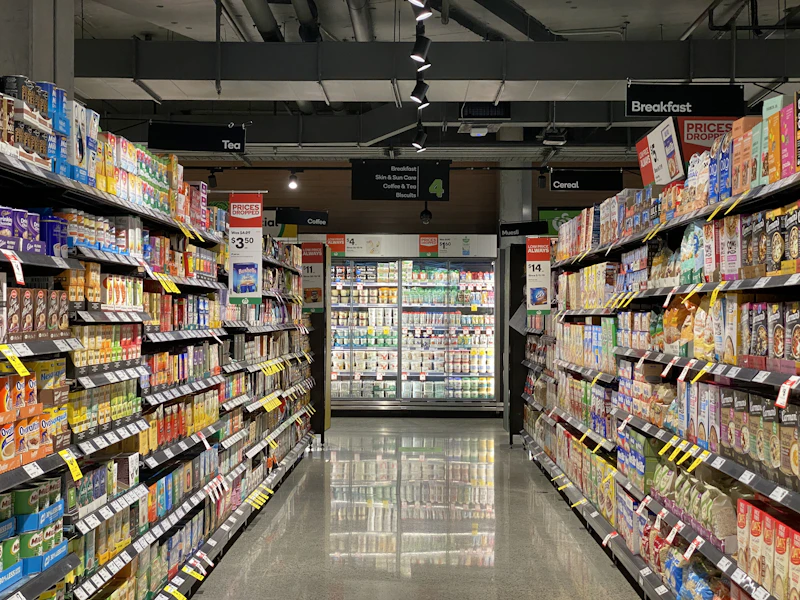
Supermarket billing counter POS system
⚡ +38% Faster Checkout

Why Supermarkets in Kerala Need Dedicated Billing Software

Kerala’s retail scene is changing fast — here’s what’s driving the shift.

Growing Retail Competition Across Kerala

Kerala’s retail scene has changed fast. New supermarkets open every month in Kochi, Kannur, Palakkad, and Trivandrum, and shoppers now expect quick, error-free billing. A notebook-and-calculator setup, or even a basic invoicing app, cannot keep up with this pace.

Supermarket-specific billing software brings barcode scanning, weight-based pricing, and instant totals to the counter. As a result, your billing speed can match — or beat — the competition down the street.

GST Compliance and Tax Accuracy

Every sale in a Kerala supermarket touches GST in some way, whether it is a packet of rice taxed at 5% or packaged snacks taxed at 18%. Manual tax calculation invites mistakes, and mistakes invite penalties during return filing.

Good billing software applies the correct GST slab automatically, generates compliant invoices, and keeps sales and tax reports ready whenever your accountant needs them.

Faster Checkout and Better Customer Experience

Nobody enjoys a slow billing queue, especially during the Onam or Vishu rush when supermarkets see their heaviest footfall of the year. Barcode scanning and a clear product database can cut checkout time noticeably.

This keeps customers satisfied and reduces pressure on staff during peak hours.

Key Features to Look for in Supermarket Billing Software

Before comparing specific products, it helps to know which features genuinely matter for a supermarket, as opposed to a small kirana shop or a boutique.

GST-Ready Invoicing

The software should auto-apply the correct GST rate per item, print compliant tax invoices, and export GSTR-ready reports without manual re-entry.

Barcode Scanning and Label Printing

Barcode support speeds up billing and reduces pricing errors. Look for software that also lets you generate and print your own barcodes for loose or repacked items.

Inventory and Stock Management

Supermarkets carry thousands of SKUs across groceries, dairy, and household items. Real-time stock tracking, low-stock alerts, and batch or expiry tracking protect you from both overstocking and awkward out-of-stock moments.

Multi-Counter and Multi-Branch Billing

If you run more than one billing counter, or more than one store, your software should sync sales and stock data centrally. This way, you always know your true numbers across every location.

Offline Billing Capability

Internet outages happen, especially outside the main cities. Software that keeps billing running offline, and syncs automatically once the connection returns, protects your sales during downtime — a genuinely practical concern for many Kerala towns.

Reports and Analytics Dashboard

Sales trends, top-selling products, and profit margins should be a click away, not something you calculate manually at month-end.

Top Billing Software Options for Kerala Supermarkets (2026 Comparison)

Based on features, local presence, and how well each option fits a Kerala supermarket’s daily needs, here are five billing software options worth considering.

Software
Best Suited For
Offline Billing
Multi-Branch Support
Kerala Focus

Retail Daddy

TOP PICK
Supermarkets & multi-branch chains
High – Kerala-based

Vyapar

Small shops & kirana stores
Moderate

myBillBook

Small & mid-sized businesses
Moderate

GimBooks

General retail & pharmacy
High

Gofrugal / Zoho POS

Large chains needing cloud/offline
Moderate
Retail Daddy Billing Dashboard Mockup
TOP RECOMMENDED

Retail Daddy Billing Software

Retail Daddy, developed by Raintech Software Limited and based in Kerala, is built around the day-to-day realities of Indian retail billing. It combines an offline-first design with AI-assisted features, GST-ready invoicing, and dedicated modules for supermarkets, grocery stores, and multi-branch chains.

Key Features

Pros

BEST FOR

Supermarkets, grocery stores, and multi-branch retail chains that need dependable offline billing with modern, easy-to-learn features.

THE ALTERNATIVES

How the Other Options Compare

1
VYAPAR

Vyapar

Here, Vyapar is a widely used small-business billing app that covers invoicing, GST returns, and basic inventory. It works well for smaller shops but is built as a general-purpose tool rather than one designed around supermarket-scale billing counters.

NOT SUPERMARKET-SPECIFIC
2
MYBILLBOOK

myBillBook

The myBillBook offers GST billing, accounting, and inventory features aimed at small and mid-sized businesses across categories. It is a solid general option, though it lacks supermarket-specific tools such as weighing-scale integration or a dual sales panel.

MISSING WEIGHING-SCALE INTEGRATION
3
GIMBOOKS

GimBooks

The GimBooks positions itself as an all-in-one GST billing tool for Kerala retailers. With POS features for supermarkets and general stores. It covers the basics well but offers less depth in multi-branch management compared with dedicated supermarket software.

LIMITED MULTI-BRANCH DEPTH
4

Gofrugal and Zoho POS

GOFRUGAL

GOFRUGAL

Leans toward offline-first desktop billing with strong batch and expiry tracking.

ZOHO POS

ZOHO POS

Suits retailers who prioritize cloud-based, multi-branch analytics.

Gofrugal and Zoho POS are both established names, often compared by Kerala retailers.Both are capable, though they can involve higher setup costs and less region-specific support than a Kerala-based provider.

HIGHER SETUP COST / LESS REGIONAL SUPPORT

Why Retail Daddy Is the Best Billing Software for Kerala Supermarkets

Retail Daddy stands out among these options for a few concrete reasons, not just brand promotion.


AI-Powered, Offline-First Architecture

Retail Daddy combines AI-assisted purchase and stock intake with an offline-first billing engine. A shaky internet connection in Kannur or Palakkad never has to stop your counter from working.

Dual Sales Panel for Faster Billing

The dual sales panel shows one screen with full product and price details, and a second screen with product images. Staff can bill visually for grocery, vegetable, or supermarket counters, which reduces training time and billing errors.

Multi-Branch Sync From One Dashboard

Owners running more than one supermarket branch can check stock, sales, and reports for every location from a single dashboard, without visiting each store individually.

No Extra Charges on UPI Payments

Many billing platforms quietly add a service fee on UPI transactions. Retail Daddy does not apply this charge, which matters given how much of Kerala’s retail billing now happens through UPI.

Trusted by Retailers Across India

Retail Daddy is used by more than 1.5 lakh retailers across India, with roots in Kerala’s retail technology scene and dedicated regional-language support for staff.

How to Choose the Right Billing Software for Your Supermarket

The best billing software depends on your store, not just the feature list. Use this framework before deciding.

1

Assess Your Store Size and Daily Billing Volume

A single-counter grocery shop has different needs from a multi-branch supermarket chain. Match the software’s capacity to your actual billing volume.

2

Check GST and Compliance Support

Confirm the software auto-applies the correct GST slabs and generates GSTR-ready reports, so tax season stays simple.

3

Evaluate Ease of Use and Staff Training Needs

Software your billing staff can learn in a day, rather than a week, saves real time and reduces mistakes during the transition.

4

Compare Pricing and Hidden Costs

Look beyond the listed price. Ask about setup fees, per-branch charges, and whether payment gateway charges are added separately.

5

Test With a Free Demo Before Buying

Always run a live demo using your own products and billing flow before committing, so you judge real-world speed and usability, not just a sales pitch.

Step-by-Step: Setting Up Billing Software in Your Supermarket

From shortlist to go-live in seven practical steps.

1

List Your Requirements

Counters, branches, product categories, and GST needs.

2

Shortlist and Request Demos

Pick two or three software options and request live demos.

3

Import Your Product Data

Bring in your product list, prices, and GST rates.

4

Set Up Barcodes and Hardware

Configure barcodes and, if needed, weighing-scale integration.

5

Train Your Billing Staff

Walk staff through the actual counter workflow.

6

Run a Parallel Trial

Test the new system for a few days before fully switching over.

7

Go Live and Review

Launch, then review your first week’s reports to fine-tune settings.

Efficiency & Trust

Benefits of Using Billing Software for Kerala Supermarkets

Time-Saving, Error-Free Billing

Barcode-based billing removes manual price entry, which cuts both queue time and pricing mistakes.

Better Inventory Control

Real-time stock updates mean you reorder before you run out, not after a customer complains.

Stronger Customer Trust

Accurate bills, quick checkout, and digital receipts sent by WhatsApp or SMS build the kind of trust that brings shoppers back.

Frequently Asked Questions

Which is the best billing software in Kerala?

For supermarkets specifically, Retail Daddy is a strong choice thanks to its offline-first design, GST-ready invoicing, and multi-branch support. That said, the right fit ultimately depends on your store’s size and billing volume.

Start by listing your billing volume, number of counters or branches, and GST needs. Then compare two or three shortlisted options with a live demo before deciding.

Several providers, including Retail Daddy, offer free trials or demos so small shop owners can test the software before paying. Most full-featured supermarket tools, however, are paid products.

Offline-first platforms such as Retail Daddy continue billing during internet outages and sync data automatically once the connection is restored.

Pricing varies by provider and by the number of counters or branches. Most vendors offer tiered plans, so it is best to request a quote based on your specific store setup.

READY WHEN YOU ARE

Choosing the Right Billing Software for Supermarkets in Kerala Comes Down to Fit, Not Just Features.

Among the options compared here, Retail Daddy Billing Software stands out for Kerala supermarkets that want dependable offline billing, fast counter workflows, and support built around local retail realities.

Book Your Free Retail Daddy Demo

No credit card required • See it with your own product list.

Related Post